BioShell gives you access to thousands of bioinformatics tools and reference datasets through two underlying systems, CVMFS and sHPC, and a built-in assistant called Shelley that automates working with both.
How the tooling stack works
CVMFS
CernVM-FS (CVMFS) is a read-only, network-backed file system originally developed at CERN for distributing scientific software at scale. Rather than downloading tools and datasets upfront, CVMFS fetches only what you actually access, on demand, and caches it locally.
From your perspective it looks like a
regular directory at /cvmfs/: you can ls it, browse it, and point workflows at files
inside it. Nothing is stored permanently on the VM itself, and you cannot write to CVMFS: it
is a shared, read-only resource.
BioShell mounts two CVMFS repositories automatically:
| Repository | Contents |
|---|---|
singularity.galaxyproject.org |
120,000+ containerised tools from BioContainers |
data.galaxyproject.org |
Reference genome builds and pre-built indexes from the Galaxy Project |
The repositories BioShell connects to are maintained by the BioContainers and Galaxy communities: thousands of tools, kept up to date, versioned, and tested. You get access to all of it without compiling software, managing dependencies, or tracking down container images yourself.
Run the probe command to confirm CVMFS is connected:
cvmfs_config probe
You should see OK for each repository. If a repository shows Failed!, wait a moment and
try again. Contact Australian BioCommons support
if the problem persists.
sHPC
The containers in CVMFS are encapsulated software components called images. You could run them directly with singularity which is installed on BioShell, but that requires knowing the
exact container path and syntax for every tool, every time. Singularity-HPC (sHPC)
solves this by wrapping containers as standard environment modules, so you can discover and
load tools the same way you would on any HPC system:
module load samtools/1.21
samtools --version
sHPC turns containers into clean, versioned modules without requiring you to know how containers work. On BioShell, sHPC should be configured so that installations point at containers already present in CVMFS, so nothing is re-downloaded.
Introducing Shelley 
Working with CVMFS paths and sHPC registry recipes by hand is tedious and error-prone, particularly for older tool versions not listed in the standard registry. Shelley is BioShell’s command-line assistant that automates the entire workflow: it searches the CVMFS BioContainers index, identifies the correct container version, creates any missing registry entries, and runs the sHPC install, all from a single command.
Getting started with Shelley
Shelley indexes over 13,000 tools and 118,000 container versions from the BioContainers catalogue, and you can run it directly from the command line or in an interactive mode. This tutorial walks through finding and installing a bioinformatics tool on a BioShell VM for the first time.
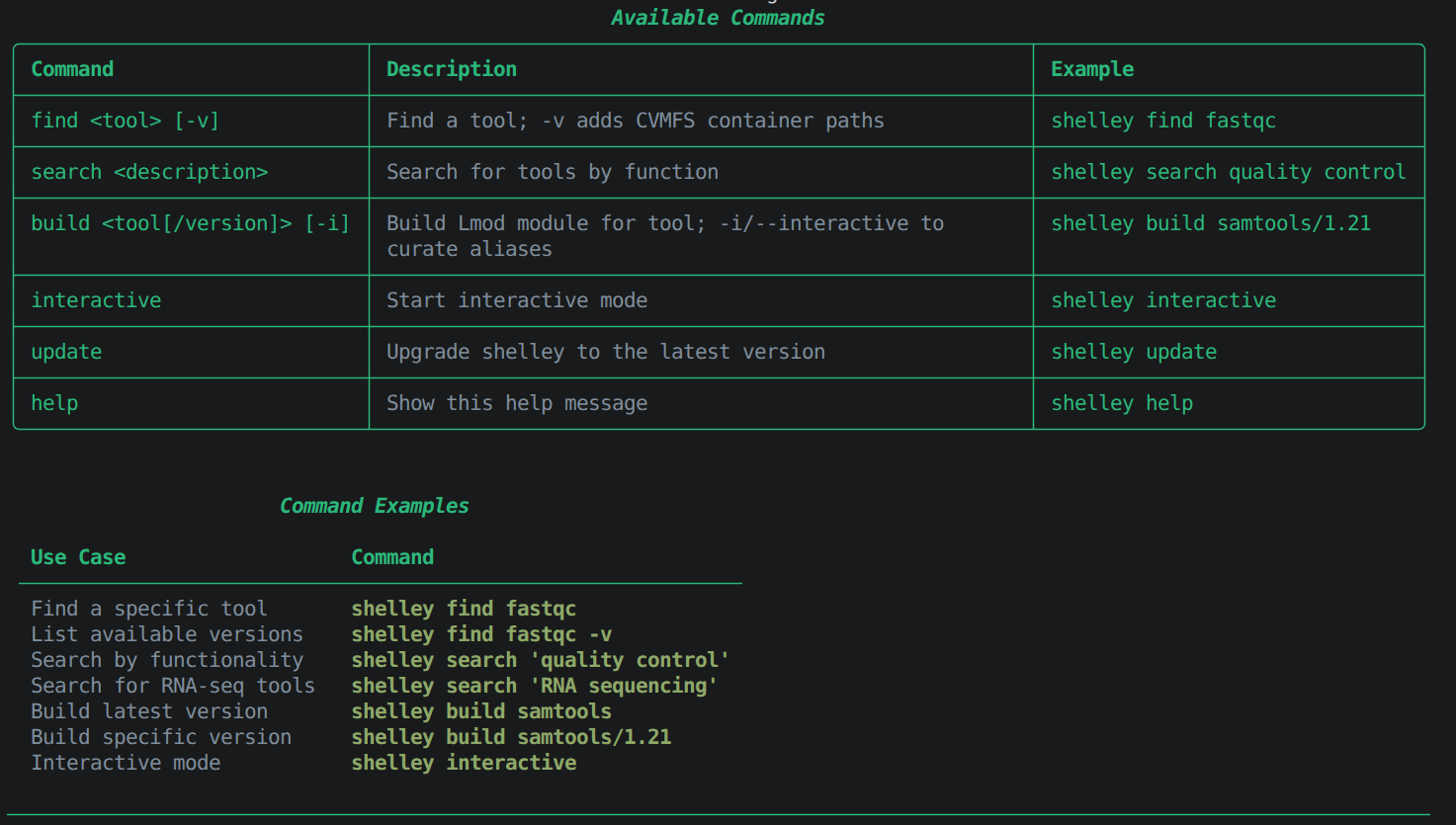
Before you start, confirm Shelley is available:
shelley help
You will see a list of available commands.
Example output
Finding a tool you already know by name
Say you already know you need fastqc. Look it up with find:
shelley find fastqc
Example output
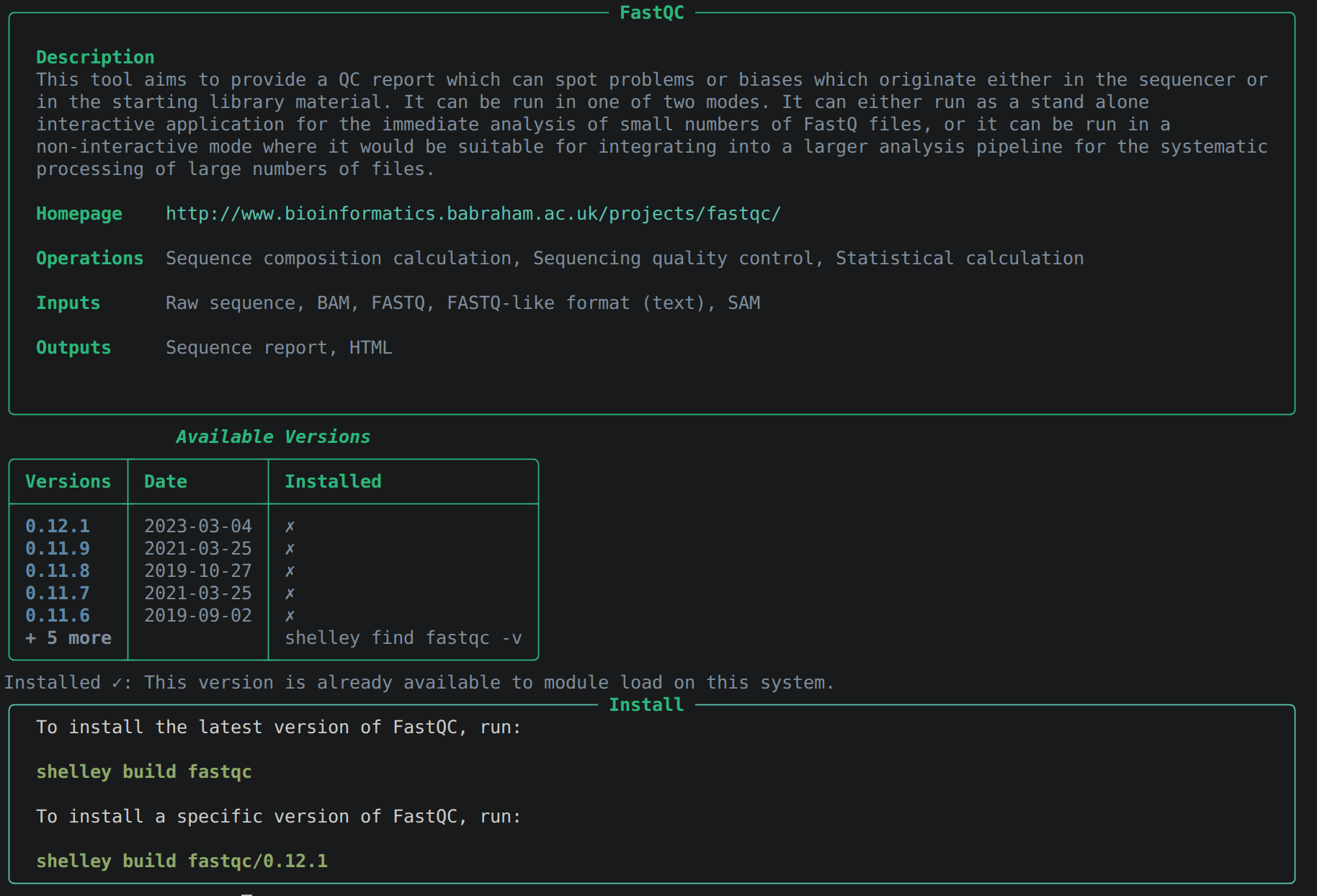
Shelley returns the tool’s description together with its most recent container versions,
plus whether it is installed as a module yet. find is forgiving about
naming case, hyphens, and underscores are all handled for you, so shelley find STAR,
shelley find bwa-mem2, and shelley find samtools all work as expected.
Searching when you only know the task
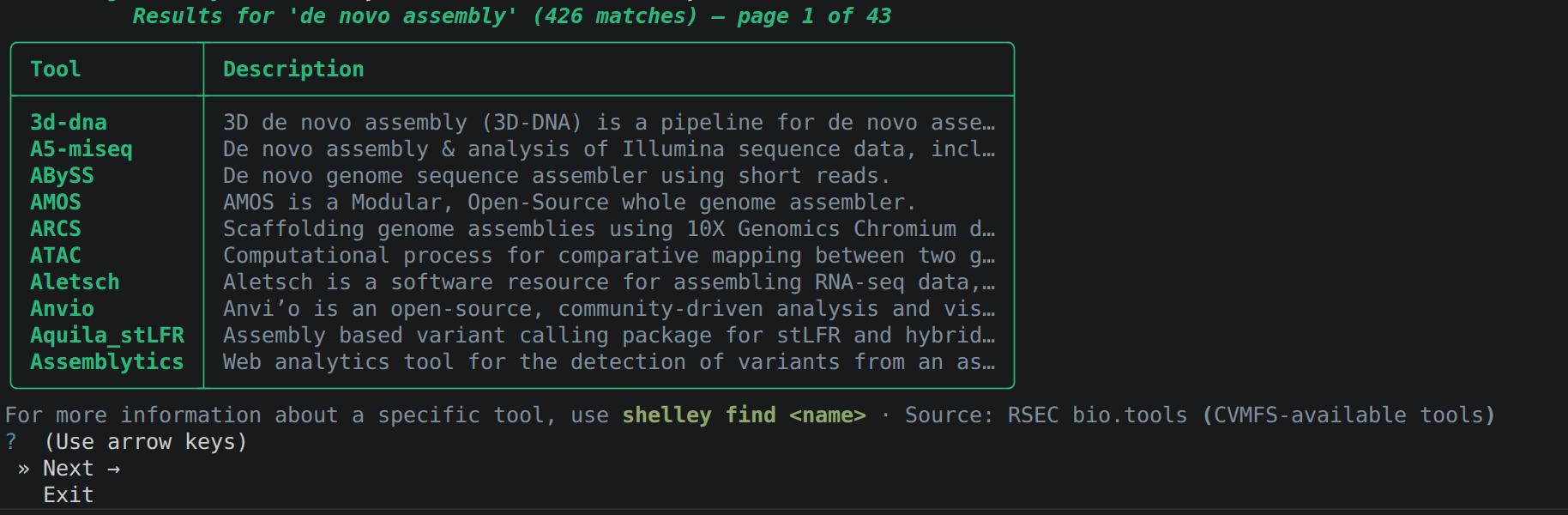
Sometimes you know what you want to do but not which tool does it. That’s what search
is for:
shelley search "quality control"
shelley search "variant calling"
shelley search "de novo assembly"
Each result will show you the tool name and a brief description of what it does. Shorter, more specific phrases tend to work better than full sentences.
Example output
Checking every available version
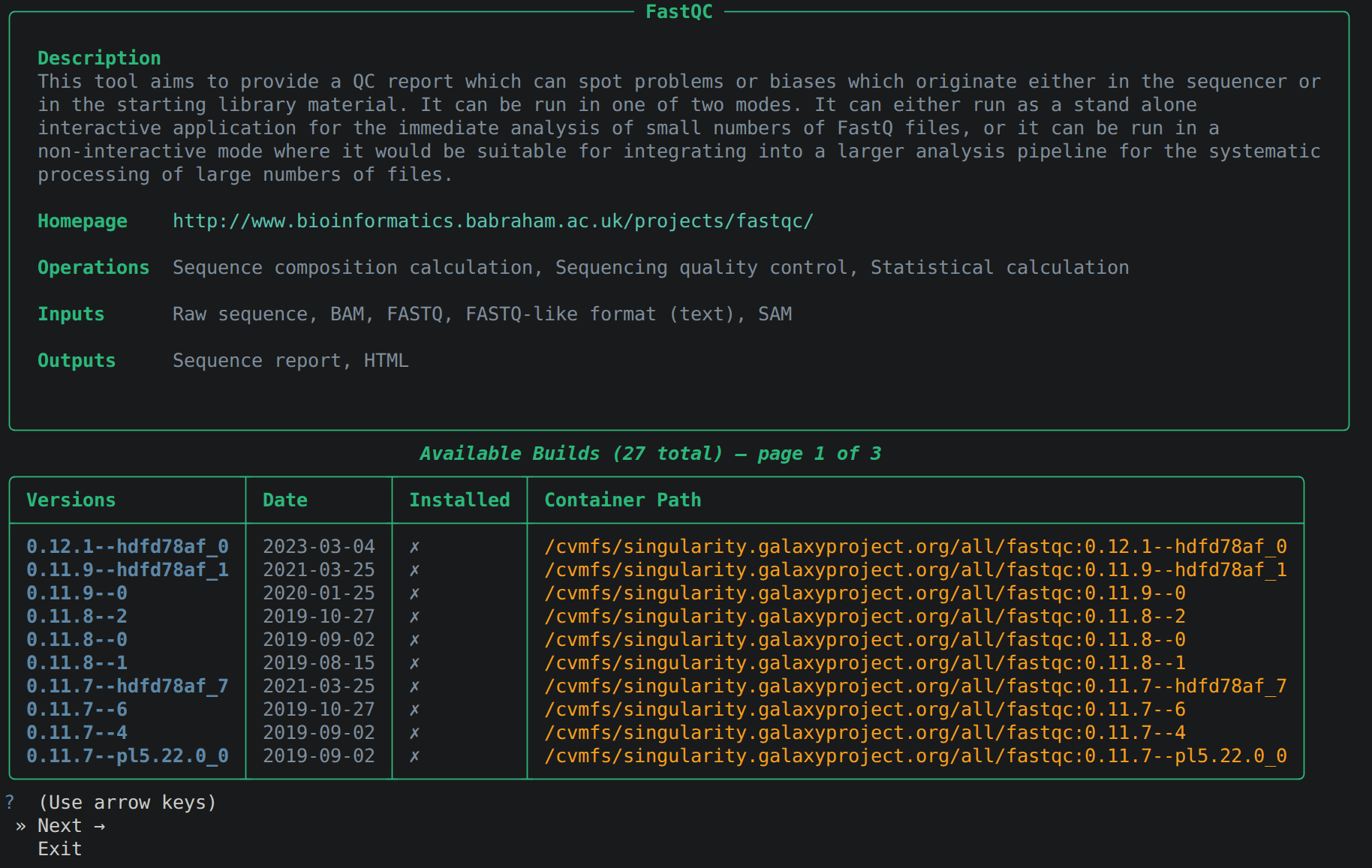
By default find only shows the most recent versions of a tool. If you need to pin
an exact version for reproducibility, or to match a pipeline’s requirements, you can add the
-v (verbose) flag to see every available container, sorted newest-first:
shelley find fastqc -v
Example output
Building a module
Once you know the tool and version you want, build its Lmod module with shelley build:
shelley build fastqc
This installs the most recent available version by default.
Example output
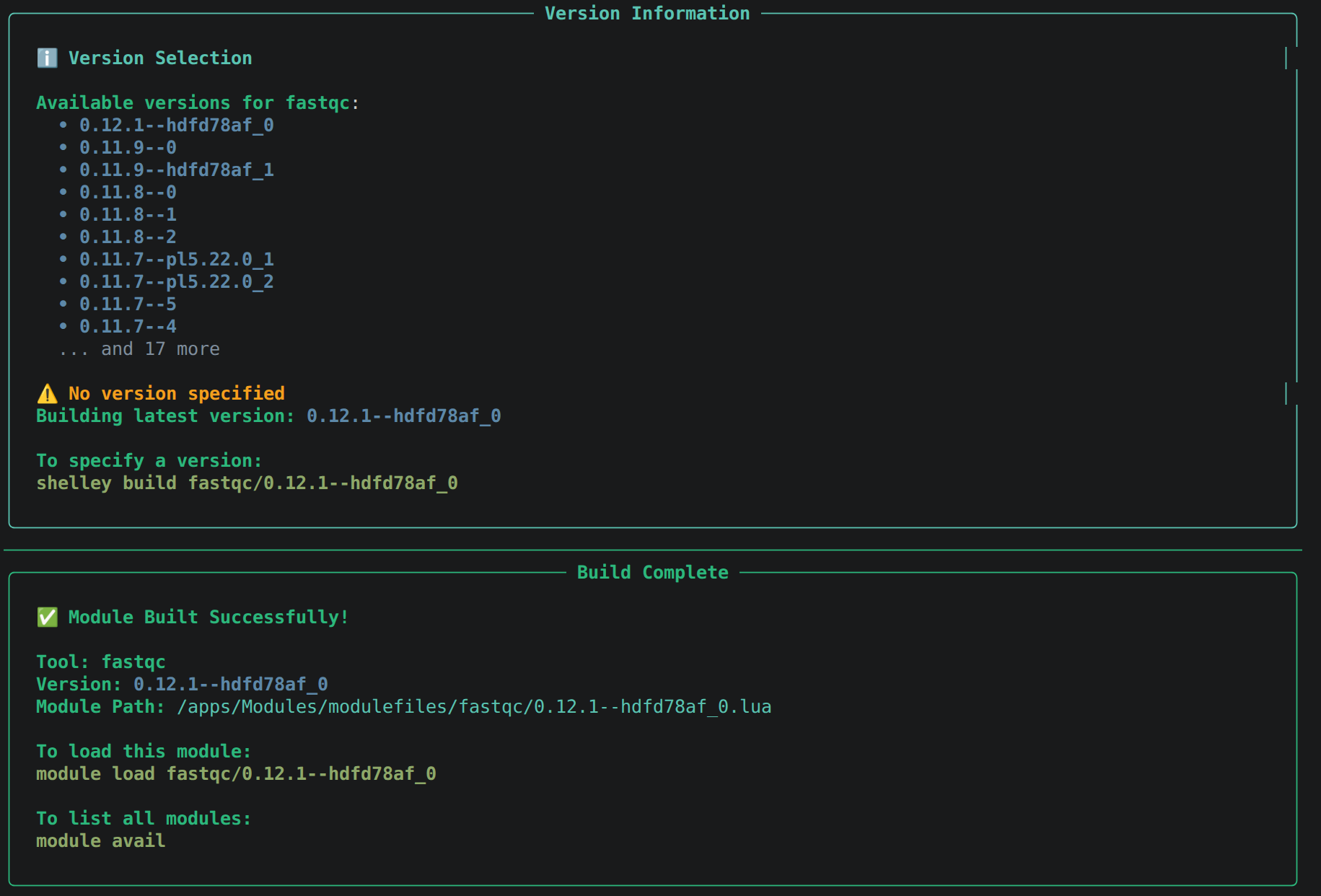
build the same <tool>/<version> spec that find -v showed you, for example shelley build fastqc/0.12.1.Loading and running the tool
After a successful build, load the module the same way you would on any HPC system and run the tool:
module load fastqc
fastqc --version
# FastQC v0.12.1
That’s the whole loop: search, find, build, load, and run. This is the same loop you’ll use for any tool in the BioContainers catalogue.
Once you’ve got the hang of this, the How to use Shelley guide covers the other use cases that will come in handy!
Reference datasets
CVMFS also provides access to reference genome builds and pre-built indexes from the Galaxy Project. You can browse the full repository at datacache.galaxyproject.org before triggering any downloads on the VM. On BioShell, the same content is available at:
ls /cvmfs/data.galaxyproject.org/byhand/
ls /cvmfs/data.galaxyproject.org/managed/
| Directory | Contents |
|---|---|
/managed |
Datasets generated with Galaxy Data Manager tools. Organised by index type, then genome build. |
/byhand |
Older, manually curated datasets. Organised by genome build, then index type. |
To use a reference file in your analysis, pass its absolute path directly to your tool or pipeline config. For example, the human CHM13 T2T v2.0 FASTA file is at:
/cvmfs/data.galaxyproject.org/byhand/CHM13_T2T_v2.0/seq/CHM13_T2T_v2.0.fa
The T2T genome directory also includes pre-built indexes for common aligners:
ls /cvmfs/data.galaxyproject.org/byhand/CHM13_T2T_v2.0/
# bowtie2_index/  bwa_mem_index/  bwameth_index/  hisat2_index/  len/  rnastar/  seq/
Troubleshooting
CVMFS probe fails for a repository
The repository may be temporarily unavailable. Wait a moment and run cvmfs_config probe
again. Contact Australian BioCommons support if
the problem persists.
Module appears in module avail but will not load
Check that both shpc and singularity are loaded:
module list
sHPC requires Singularity to execute containers.
Shelley cannot find a tool
Try search with different keywords, for example Shelley search "alignment" instead
of a specific tool name. If the container exists in CVMFS but Shelley does not index it,
fall back to installing the module manually with shpc install - see the
sHPC user guide.
Further reading
CVMFS, sHPC, and reference data
- sHPC user guide
- BioContainers registry
- CVMFS documentation
- Galaxy Project CVMFS repositories
- How to use Shelley - snippets for various use cases
- Full CLI reference
- Design rationale